 Eric's ramblings, experiences and random thoughts about e-Learning, distance education and Educational Technology.
The Site 2009 conference in Charleston South Carolina was a real awakening for me. During this session I saw several themes emerge and was presented with some very practical information. My sense from the conference was that we have entered an era where the speed at which we can collect, or in the case of the educator, give information is what will lead to our success. Specifically I mean we are not in an age where cell phones are new technology and we train and then deploy new ideas. During a round table discussion Kevin Thomas, Ph.D., Assistant Professor, Annsley Thornton School of Education, drove this point home when he discussed how he uses cell phones in teaching.
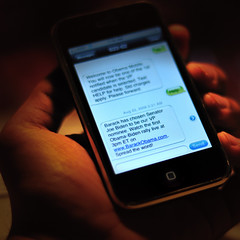 Cell phones are not new technology to the average North American high school or college/university student. They use them frequently and well. Further, they often carry them with them at all times. This presents a unique opportunity for us to quickly and easily interact with our learners. Instead of placing content, notices, or updates on an LMS and hoping that your students find it in time, it is possible to email that material in the form of a text message to your learners. The benefit is that they have the information instantly, it is portable, and it is easy for educators to deploy. Also, the learner doesn’t have to go and seek this information and it saves them time. As was hinted at during the conference LMS (Learning Management System) may be going the way of the dodo bird. Although I don’t necessarily think that will happen anyway time soon, I do see this being a useful tool that isn’t bound within the constraints of the LMS.
 To do this create a distribution list for the students in your class using their cellphone numbers and providers. For those that do not have cell phones simply collect email addresses. To enter the phone to text address in your email client consult the service provider's website. For example:
10didigitphonenumberhere@pcs.rogers.comKeep in mind that your messages can only be 180 characters long. Thanks to Kevin Thomas for his wonderful idea and Eric Tremblay for suggesting we share it here.
10digitphonenumberhere@msg.telus.com
If you have used text messaging in your teaching, please share some examples of the types of messages you send to your students by leaving a comment below.
Image credit: here.


