Wednesday, March 25, 2009

Do wikis work for any topic? How about math?

Sabah Karam from Morgan State University in Baltimore, Maryland, recently wrote to me asking:

“I have been doing research on how wikis can be used to teach students
how to do mathematical proofs…. I would like to know if you have any thoughts on if you think we this is a realistic effort and, so, how we can achieve this goal.”

Great question! I personally believe that a wiki can succeed on any topic. A wiki is merely a tool for collaborative document authoring by a group. The more important factor that determines the success of a project is the vested interest of the team members (or community) working on it.

So to ensure success in a project like collaborative authoring of mathematical proofs, efforts should be placed into:

  • defining the output (deliverable) and the timelines of the project

  • defining your community (i.e. team members) that will work on the project

  • selecting the right tools to enable the community to produce the desired product in the timeline specified (a wiki is one example of a good document collaboration tool)

  • providing a convincing argument to members of the community to educate them about the value of the tool(s) that were selected for the project

  • providing training on these tool(s) for those members of the community who need it

  • overseeing the completion of the deliverables folloowing the agreed upon timeline

On the subject of wikis that concern themselves with mathematical proofs, there are two that I know of Proofwiki and PlanetMath. Does anyone else know of any? if so, leave a comment below.

Image credit.

Tuesday, March 24, 2009

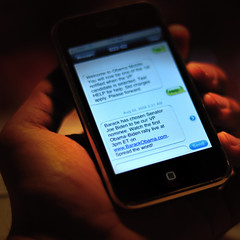
Text messaging in your teaching

Note: Please welcome this guest post by Scott Morrison – Instructional Designer at the Royal Military College of Canada in Kingston, Ontario.

The Site 2009 conference in Charleston South Carolina was a real awakening for me. During this session I saw several themes emerge and was presented with some very practical information. My sense from the conference was that we have entered an era where the speed at which we can collect, or in the case of the educator, give information is what will lead to our success. Specifically I mean we are not in an age where cell phones are new technology and we train and then deploy new ideas. During a round table discussion Kevin Thomas, Ph.D., Assistant Professor, Annsley Thornton School of Education, drove this point home when he discussed how he uses cell phones in teaching.

Cell phones are not new technology to the average North American high school or college/university student. They use them frequently and well. Further, they often carry them with them at all times. This presents a unique opportunity for us to quickly and easily interact with our learners. Instead of placing content, notices, or updates on an LMS and hoping that your students find it in time, it is possible to email that material in the form of a text message to your learners. The benefit is that they have the information instantly, it is portable, and it is easy for educators to deploy. Also, the learner doesn’t have to go and seek this information and it saves them time. As was hinted at during the conference LMS (Learning Management System) may be going the way of the dodo bird. Although I don’t necessarily think that will happen anyway time soon, I do see this being a useful tool that isn’t bound within the constraints of the LMS.

To do this create a distribution list for the students in your class using their cellphone numbers and providers. For those that do not have cell phones simply collect email addresses. To enter the phone to text address in your email client consult the service provider's website. For example:
10didigitphonenumberhere@pcs.rogers.com
10digitphonenumberhere@msg.telus.com
Keep in mind that your messages can only be 180 characters long. Thanks to Kevin Thomas for his wonderful idea and Eric Tremblay for suggesting we share it here.

If you have used text messaging in your teaching, please share some examples of the types of messages you send to your students by leaving a comment below.

Image credit: here.

Wednesday, March 18, 2009

Web 2.0 can knock your socks off!

I participated in a great online talk yesterday by James Falkofske, Director of Online Learning, St. Cloud Technical College (here's a link to James' blog). His talk was titled: Easy Steps for Expanding Desire2Learn with Web 2.0 Tools. In general, I love talks like this. There is always some little gold nugget that I can take away and use. Well, in this particular talk, I took away two:
  1. A web application index that catalogs all kinds of examples of Web 2.0 tools: Go2Web20.net. If you go to that page you will see that each application indexed has a short description, is tagged with key words for searching and has a link to the site where the application resides. Go2Web20.net even has an RSS feed so that you can keep track of recently added applications. Nice! There are lots of goodies here and with the increased pace of appearance of Web 2.0 tools, the RRS feed gives you a great way to stay informed.

  2. A slideshow application that will knock your socks off! Seriously. It’s called Animoto. Using the photos you provide, it will make a 30 second professional looking slideshow (with fancy transitions) and a soundtrack. It has a few ways to output the video for you – including automatic export to YouTube! Slick! It even has an iPhone App so that you can build your video on your iPhone instead of your computer. Neat. For a fee, it will let you make much longer videos. It’s a great application to add to your digital storytelling toolbox for you or for your students – the production value is high. Want to see a demo of a video I made myself using Animoto? Check it out here.

    Also, Animoto itself keeps a small collection of case studies showing Animoto videos being used in education to give you some ideas.
Do you have a favorite Web 2.0 app, or do you have experience with Animoto? If so, let us know by leaving a comment below.

Monday, March 09, 2009

Make your own cartoons online

Ever wanted to be a cartoonist, but can't draw? Welcome to my world. Anyway, I came across ToonDoo.com today and this website is letting me live my dream (free of charge!). I can now easily make cartoons by simply dragging and dropping backgrounds, characters, and props, etc. Try it. You'll like it. Here's a sample 3 panel cartoon that I made - it took me about 10 mins. Not bad for a 1st time.

\Toon\

Tuesday, March 03, 2009

Love your students and they will love you back

If you read this blog, you know I’m a big fan of Micheal Wesch. I’ve never met the guy but I have watched him quite a bit in his YouTube videos. Late in 2008, he received the Professor of the Year award from Council for Advancement and Support of Education (CASE) and the Carnegie Foundation for the Advancement of Teaching (CFAT). He delivered a short acceptance speech on Nov 20th, that is worth watching. He’s introduced by a former student who clearly admires Dr. Wesch and goes on to explain the wonderful role model that he is. That's always a nice feel good moment. Then Michael takes the podium and at the end of his acceptance speech, he shares with the audience a mantra that he says to himself every time he talks in front of a group of people: “Love your students and they will love you back.” They were words of wisdom from his wife seven years ago. Spectacular!

It’s a great mantra. So many times, teachers, professors and instructors get bogged down in the technical details and mechanics of how their course is running that they can sometimes forget that for learning to occur, they have to genuinely care about their students. So having a mantra like this that is used regularly can be of great service in bringing this idea to the forefront of a teacher on a daily basis. Students are important – they need to be cared for - without them where would teachers be?

Image credit: here.

Thursday, February 19, 2009

Chemistry Lab Simulations - the Late Night Way!

If you work in the field of science – then you have been there. You know… Friday night… 11pm… and you’re in the lab doing some experiment while every other person is either home in bed or out having fun with friends. Science is a strange discipline isn’t it?

Well, there’s one company out there that is turning the concept of late night science experimentation into a complete success story. Coincidentally, they are called Late Night Labs. Their flagship product, REACTOR, is an entirely web-based chemistry lab simulator. Currently they have upwards of 100 simulated chemistry experiments developed that target the high school and first year college/university level. The system is completely customizable and an instructor can use an experiment off the shelf, build an experiment from scratch or they can modify an existing experiment to create a new experiment. Instructors can choose and sequence the experiments and present customizable views to students so that when a particular student logs onto the system, they only see the experiments that the instructor wants them to see. In addition, detailed logs are created showing exactly which experimental steps were conducted in the laboratory simulation and because these logs are available to both the student and the instructor, they become a powerful tool in debugging failures in experiments due to incorrectly followed protocols and they also serve as record of proof that the student successfully undertook the experiment. Very nice!

Late Night Labs has one experiment that is free for anyone to try. It's a short and simple neutralization reaction experiment - and basically serves more as an orientation to the interface than anything else. You can find it here. Just click the "sample lab" button. Try it out and see what you think. If you want to try more, they will issue a 2-week free trial for any instructor considering using the product in an educational setting.

As for the cost, it's significantly cheaper than a 'wet lab' or a kitchen lab. In general, the cost has two components: 1) an institutional license, and 2) a student license. Both licenses need to be in place for the system to be enabled. The institutional license is approximately $500/year and the student licenses range between $25-$50/year (these figures are approximate and depend upon your institutional requirements). Also, there is no computer support required from the institution as this software is all web-based and all data is stored on the servers of Late Night Labs.

It goes without saying, that computer simulations are also significantly safer than real-life chemistry labs as well. Using Late Night Labs, you can seal a beaker of water with a rubber stopper and you can boil it over a Bunsen burner until the beaker explodes just like in real life, except you won't be badly burned in the process (*smile*)

Have you used Late Night Labs or a similar product in your educational setting? If so, please leave a comment below letting us know the strengths and weaknesses.

Image credit: here.

Monday, February 09, 2009

Chemistry Labs at a Distance: the Kitchen takes Centre Stage!

Over the last decade, more and more schools have offered a larger proportion of their curriculum in a distance delivery format. This is largely due to technical advances that have afforded more bandwidth, less expensive course development tools, and adoption of learning management systems at most schools. It is also important to acknowledge that demand by students has also fueled the increase in distance education offerings. I work at the Royal Military College of Canada - Canada’s only military University. We have more students taking distance course offerings than we have students taking classroom courses. Interesting isn’t it!

One interesting observation that I make when I examine our course offerings, is that the large majority of our distance courses are humanities-based. The science courses are few and far between. The largest barrier to completing a science degree via distance is the completion of laboratory components. This is true in many online colleges and universities. It’s far easier to offer science labs in a residential setting than it is to offer then by distance. Despite the challenge, it doesn’t mean it’s impossible. Consider an introductory chemistry course for a moment. In my view, there are basically four possible options available to course designers:
  1. Construct a condensed residential lab offered in the summer. Distance students can travel to the university for 1 or 2 weeks and complete a series of experiments at an accelerated pace. Note that arrangements could be made to deliver this condensed laboratory at the closest college or university if the student resides a prohibitive distance from the hosting university.

  2. At home labs using a prepared lab kit. The course development team can prepare a kit that contains volumetric glassware, pH testing equipment, small quantities of known salts and chemicals, etc. This kit can provide stand-alone equipment for students to perform experiments at home.

  3. At home labs using kitchen science. The course development team can design experiments that include equipment and materials that students either have in their home already or can easily purchase locally.

  4. Computer laboratory simulations. In recent years, some companies have come out with relatively inexpensive computer simulation packages that can be used to simulate laboratory experiments on a computer.

Each of the four options above has its pros and cons. I won’t outline them all here (maybe I will save them for a future blog post. Hee hee!). However, I wanted to take this opportunity to share with you one resource that I found on the topic of kitchen science for chemistry labs. Doris Kimbrough of the University of Colorado at Denver and Jim Reeves of the University of North Carolina at Wimington have shared several examples of kitchen chemistry in action. Specifically, they share three different packages of distance learning laboratories, dubbed the 'Anytime Anywhere Chemistry Experience', for us to examine:
  1. Web-based materials for Science Majors (10 experiments)

  2. Text-based materials for Science Majors (9 experiments)

  3. Text-based materials for Non-science Majors (9 experiments)

Each experiment in these packages is designed with learning objectives, a list of equipments and materials that the student must purchase, an introduction that contains the theory behind the experiment, a detailed procedure, and a series of questions that need to be answered. (Sometimes, an excel sheet is provided for students to type their data directly into.)

Do you have any experience in offering science labs at a distance? If so, let us know about it by leaving a comment.

Tuesday, February 03, 2009

Hot Topic: Nursing Simulations in Second Life!

The most frequently visited posting on this blog was written on March 7th, 2008 on the topic of Nursing Simulation in Second Life. If you visit that old posting, you will see that the architect behind leading edge nursing simulation in Second Life is John Miller, a professor of Nursing at the Tacoma Community College of Nursing in Washington, USA.

John actively writes about this topic on his blog. If you are interested in keeping up with his experience, then it is a must read!

John has posted to newer videos on YouTube that demonstrate how he uses Second Life to support learning at his college. The first video is demonstrates a high tech emergency room nursing simulator that he has developed. Together, three participants actively participate in a simulated critical event. A student operates the virtual patient who is placed on a bed and reacts to the treatments administered by the virtual nurse (played by a second student) and a virtual nurse supervisor (played by the instructor). It's a must see video for anyone interested in nursing simulation in the emergency room.

The second video that John has made available shows Centralia island on Second Life that John uses to host learning units for his students on the topic of nursing. Many of the items on Centralia Island link directly to free resources on the web. A simple way to integrate Second Life with other Internet resources.

Are you working in the nursing field, if so, let us know what you think of John's work by leaving a comment below.

Thursday, January 29, 2009

Free Academic Videos for Everyone

It's new and it is in a 'beta' state; however, Academic Earth is something to keep your eyes on. Currently, it offers thousands of post-secondary lectures from authorative sources - all free. The creators of this repository have worked hard to integrate features into it that make it extra useful. Each lecture has a side bar with a slection of special options, such as a download to iPod option, a citation option, an 'embed' option that gives you code you can copy and paste into your website (this means that you can distribute the video to your students without having to host the video on your server. Nice!). Each lecture is rated by registered users of the website (registration is free!). So over time, the most highly rated lecture will float to the top. While in the 'beta' state, Academic Earth strongly encourages users to leave feedback on any bugs you find as well as to make suggestions on how to improve the service. At the time of launching, it is billed as "Thousands of video lectures from the world's top scholars." Not bad for a start, where will it be a year from now! What do you think?

Photo credit: Here.

Friday, December 19, 2008

Wikipedia is now a primary source for research!

Wikipedia. For academics you either love it or you hate it. One of the people on Twitter that I follow alerted me to a blog post by Frederic Lardinois on ReadWriteWeb that describes a first for a refereed academic journal. The scientific journal, RNA Biology, will now require all authors that submit a paper for review to the journal to also submit a summary of the article to Wikipedia. The Wikipedia summary is reviewed as part of the submission; however, once the paper is accepted for publication and the Wikipedia page is posted, anyone in the world can edit the contents of the Wikipedia entry.

I love it! RNA Biology is now feeding original cutting edge research into Wikipedia. That is primary source material – not simply secondary source material. I just love it. How do you feel about it? Let us know by leaving a comment below.

Note: image credit here.

Friday, December 05, 2008

Live classroom polling without clickers?

Almost everybody these days has a cellphone - especially students! So a company called Poll Everywhere has decided to deploy an Audience Response System (aka, clickers) by using text messaging on a cellphone instead of a wireless clicker transmitter. A colleague of mine (thanks Katia!) first let me know about this company by a comment she left on one of my blog posts. Today I spent some time trying it out and my initial assessment is that this is GREAT! It really works.

  • It's fast. When I send a txt msg it takes about 2-3 seconds for the vote to be captured in the resulting graph

  • It's easy for students to participate. As easy as sending a conventional text message and they do not have to buy a 'clicker' they can use their personal cell phone.

  • It's easy for instructors. No longer must the presentation room be equipped with a receiver to capture the signal from the clickers. All you need is an internet connection to capture the data from the live graph.

  • You can embed the 'live' graph as a PowerPoint slide into your classroom presentation. No need to minimize PowerPoint to go to a website to view the results.

  • It's cheap! In fact, you can try it for free with a maximum of 30 votes per question. For larger numbers of votes you can subscribe to the system for a monthly fee.

  • Web-voting is enabled. If you have students without a cellphone but with a laptop... then they can still vote by going to a specific link the instructor provides.

Want to try it? Here's a poll that I created below


Try it! Vote! If you want to vote by cell phone then here's how to do it:
  1. As the poll says, write a text message to this number: 32075 (Note: this is a text message short code - it is used like a telephone number for text messages.)

  2. In the text message you will place your vote. The format of your text message is specific: "Cast xxxxx". Where 'xxxxx' is a unique number associated with the option you wish to vote for.

  3. For example, in this poll, if you want to vote for Desire2Learn then write a text message to 32075 which contains this text "cast 29368". 2-3 seconds later you will see the graph change to incorporate your result. Note: Once 30 votes are tallied the poll closes so I will try to reset this poll once in awhile so that people can continue to try it.

Note: Poll Everywhere only works in some countries. Check their list.

If you want to try the web-based voting, then you can vote here.

I think this is great and I am definitely going to use it in class. What do you think?

Wednesday, November 26, 2008

Teaching with cellphones impacts learning?

Note: This is a follow-up message to an item posted to eLearning Acupuncture a week ago (19 Nov 2008), so be sure to read the original post first before reading this post.

I left off in the last post with the intention of testing if the use of cellphones in teaching contributed positively towards student learning. So here’s the simple experiment I designed.

First, a week after I exposed the class to the cellphone exercise in trying to answer the question “what is the mechanism of action of cyanide’s toxicity” via text message, I posed them the same question again. Only this time, they could not use their cellphones – they had to personally know the answer at that moment. The result is that four people out of 24 students answered the question correctly.

I approached these four people to ask the follow-up question: “Where and when did you learn this fact about cyanide?” Of the four people who answered the question correctly, two of them were the students who had successfully completed the cellphone activity last week, one was someone who independently looked up the answer because of her exposure to the question in last week’s cellphone activity, and the last person was someone who knew the answer from a previous course.

picture of resultsSo here is how I interpret this data in combination with last week cellphone data.

First, let’s examine the people who successfully accomplished the cellphone task last week and let’s see if their accomplishment from last week affected their learning. Of the two students who accomplished the cellphone task last week both were able to correctly answer the question regarding the mechanism of action of cyanide one week later. Both students identified the previous week’s cellphone activity as being the time and method that they learned this answer. So for 100% of these students, success with the previous week’s cellphone activity did indeed contribute positively to their learning. They demonstrated this by retaining this knowledge for the period of at least one week.

Second, let’s examine the student who did not successfully complete the previous week’s cellphone activity yet was stimulated by the activity to a great enough extent where she independently researched the answer and was able to demonstrate her knowledge one week later. Did the cellphone activity affect her learning? YES! On the surface this sounds quite positive doesn’t it? However, there were 19 other people in the class who where not stimulated by the activity to a great enough extent to independently research the answer as she had. So for 1 out of 20 (or 5%) the activity stimulated their learning despite being unsuccessful with the cellphone activity. For the other 95%, there was no positive impact.

Third, the student who previously knew about the mechanism of action of cyanide was unaffected by the activity – he already knew the answer.

So taken together, despite a very small sample size, there is a suggestion that cellphone use in the classroom might positively affect learning. Maybe just enough of a suggestion that further investigation on the subject is warranted. What do you think? Please leave a comment below.

Wednesday, November 19, 2008

Pay Attention to Teaching with Cellphones

The Jordan School District in Sandy, Utah, produced a provocative presentation in April 2007 on TeacherTube entitled “Pay Attention”. It’s a nice video that runs about 7 mins and 40 secs. I’ve watched it a few times over the year to refresh my memory about some of the key ideas in it. I like a lot of them personally.

Starting at 3 mins 50 secs into the video, this sequence of text appears:
Did you know that over 1.5 billion people, all over the world, are walking around with powerful computers in the pockets or purses?

“When you lose your mobile, you lose part of your brain.” – Student from Japan.

“Phones have become an interesting enabling tool. Invented to connect us all together, it has become something much more…” – Warlick, D. (2007). At your Service.

Since your students already know how to use this technology, why aren’t you using it to teach?

Think of ways you could use cell phones to teach…Language, Poetry, literature, Public Speaking, History, Math, Storytelling, Geograpahy, Writing,

Text Messaging (SMS) alone could be used for: pop quizzes, student polls, spelling bees, math experiments, science experiments, book reports, peer tutoring, class presentations.

Imagine giving your class this assignment:

Class you’ve got 10 minutes to received a text message from anyone outside of this school…Please find out: 1. What they had for breakfast, 2 What the weather is like where they are, and 3. The one thing they as purchased. Bonus points will be given for messages received from people in other countries using languages other than English.

Talk about acquiring useful data! This data could then be used in nearly any class to teach a wide variety of essential skills: graphing data, food preparation, predicting economic trends. Cellphone to teach? Absolutely!


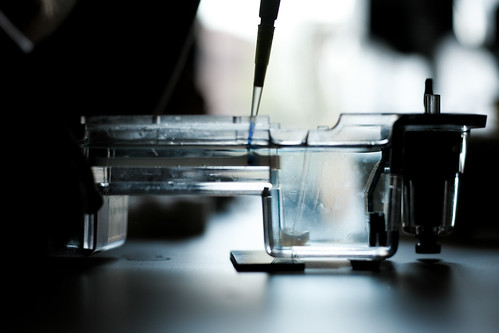
Well, I tried this experiment yesterday. I tried to see if I could integrate the use of cell phones into my class. I was teaching a 3-hour first year Chemistry Lab on the spectrophotometric analysis of hemoglobin in human blood. We used a classical reagent cocktail (called Drabkin’s Reagent) that contains potassium cyanide. I asked the students a simple question for bonus marks:
“Please receive a text message containing the mechanism of action of cyanide’s toxicity by the end of today’s class.”

Of the 10 people in the class who had their cell phones (most people don’t come to the lab with their phones), only two people were able to accomplish this task during the allotted time. 2 out of 10.

Is this a success or is it a failure? I don’t really know because I did not set out my research question ahead of time. (It just goes to show you that scientists are routinely engaging in poor experimental design! HAHA!).
However, if I reverse engineer this a little bit and think about possible research questions to judge the success of the experiment against, then these come to mind:

Q1. Were students excited by a research activity that involved cell phones?
A1. Anecdotally – yes. There was a real ‘buzz’, a sustained ‘good vibe’ in the class and it all positive.

Q2. Were students able to participate in this research activity on a cell phone without any technical training by the instructor?
A2. Yes. No one approached me to ask me how to receive a text message or how to operate their phone in any way.

Q3. Were students able to complete successfully this research activity on a cell phone?
A3. Only 2 of 10 were able to complete it in a 3 hour period. Some people, including me, might interpret this as a fail. In general, the majority were not able to complete this task in the time allotted.

Q4. Was the quality of the answer received by text message of sufficient high?
A4. Yes. I judged both answers as correct although they were quite abbreviated as you would expect with text messaging as a delivery mode.

Q5. Did this technology-enabled research activity contribute positively towards student learning?
A5. I don’t know. However, I am going to test this. I’ll be sure to put my results in a future blog post. Stay tuned!

If you have any experience using cell phones to teach, please let us know what you did and how it worked out by leaving a comment below.


Note: image credit located here.

Friday, November 14, 2008

The Artful Science of Instructional Integration

Note: Please welcome this guest post by Marc Tremblay - teaching on the front lines in Toronto, Ontario.

The challenges of creating effective instructional designs are an ongoing and healthy preoccupation in the minds of most teachers. Though they are often exposed to new instructional practices through professional development, teachers must consider a well-thought integration of a variety of approaches.

Beyond Monet: The Artful Science of Instructional Integration, by Barrie Bennett and Carol Rolheiser, tackles the complexity of instructional design by breaking it down into distinct elements. These components are based on psychological and social research which have been applied in education.

Many aspects of this book make it a valuable resource: concise explanations of theoretical foundations and a recognition of the need for excellence in teaching skills make this reading exciting and motivating. There are model lesson plans which demonstrate the application and integration of several instructional practices. The authors also maintain a website updated with current developments in research in education.

Key parts of this book deal with cooperative learning structures, the brain and students’ sense of well-being in the classroom, induction, differentiation, the practice of asking questions in a classroom discussion. These are all things we sometimes struggle to perfect and desire to master in order to create engaging, effective and meaningful learning scenarios.

So what’s with the title, Beyond Monet? Well, it addresses the need to apply scientific methods of self-reflection such as observation and analysis rather than simply relying on intuition: experienced teachers combine several instructional practices for effective teaching, yet often they struggle to explain clearly to novice teachers exactly what they did. One just doesn’t rely on a nebulous creative streak to be a good teacher. This book encourages in-depth understanding of teaching practices and learning content so that one can then apply one’s creativity in lesson design.

Beyond Monet : the artful science of instructional integration / Barrie Bennett, Carol Rolheiser.
(Toronto) : Bookation, c2001.
ISBN: 0969538839

Thursday, November 13, 2008

FOR SALE - Experienced Online Instructor

Are you seeking an experienced online instructor to teach at the post secondary level in the following fields: chemistry, physics, biology, biotechnology, molecular biology, mathematics, pharmacology, statistics, educational technology, education, or ethics? If so, please contact ME - I am for sale. Seriously. A CV and a detailed teaching dossier can be made available to interested parties. I can teach entirely using Web 2.0 technologies or I can teach within your school's LMS. You decide. I am 100% learner centered in my approach.

Wednesday, November 05, 2008

Newspaper Frontpages from around the World

Some people don't know about this. It's the website of the Newseum in Washington, DC. Billed as the 'World's most interactive museum', it contains a very nice resource of newspaper frontpages from around the world. For example, this morning, via twitter, many of my friends shared links from this website to show a visual representation of the Obama Presidential victory. This morning, Newseum showcased quite an extensive compilation of various newspapers - there were 682 frontpages from 66 countries!

Newseum's gallery of today's front pages is here. (Note: these pages load up slowly - be patient.)

Newseum's geographical index of today's front pages is here.

They even keep an archive of newspaper frontpages for dates and events of particular significance. You can see the list here.

If you are interested in infusing current events into your course materials then access to these newspaper frontpage images could be very useful! (Note: be sure to read their copyright statement before using any of this material. You can find a link to it at the bottom of each page.)

Tip: If you want to see if there are any archived versions of newspaper fontpages for a particular date in the past, then just use the following link and substitute the last 6 numbers by the numerical value of the date (i.e. for May 14th, 2008 use 051408): http://www.newseum.org/todaysfrontpages/default_archive.asp?fpArchive=051408

Thursday, October 23, 2008

cck08: Wesch Strikes Again!

I can't get enough of this. The University of Manitoba recently posted the video of Micheal Wesch's June 17, 2008, talk entitled "A Portal to Media Literacy" where you can get a glimpse into how Micheal organized a couple of his classes at Kansas State University. He strives to create platforms of participation for students that leverage the emerging media environment. He shows how to let students participate in their learning in an open way to harness the 'upload world' they are familiar with. Some great illustrations of practices in wiki and RSS aggregator usage are found in this video... just in time for this week's CCk08 topic of Instructional Design and Connectivism! Food for thought!

In fact, I'm revamping one of my courses for Winter 2009 (Biol2: Intro to Molecular Biology) and I am going to use a wetpaint wiki as a type of portal for my students to bring together course information. I'll be sure to write about it on this blog once I get the wiki slightly more crytalized.

Note: image credit located here.

Wednesday, October 22, 2008

The Reflective Teacher

If you are a teacher then you are acutely aware that the level of effectiveness of ones teaching can vary from day-to-day and class-to-class. In fact, some days the effectiveness level is high while other days you are not so effective. Personally, I’ve often walked out of the classroom feeling that a particular class went horribly. So what do you do in situations like this? Well, you start by thinking about it… by reflecting. Many people have written about the reflective practitioner or the reflective teacher. In fact, many educators use the process of self-reflection with their students when developing skills in the classroom. Journaling is the classic example of this. Documenting the process of reflection can help the progression to solution finding. In the 21st century, blogs have facilitated the sharing of self-reflective material – they are much easier to distribute and access then hard-bound journals.

This web 2.0 concept of sharing when applied to professional reflection is very powerful. Have you ever wanted to be a fly in the classroom of a respected teacher to see how she does it? Have you ever wanted to read or hear the reflections of that same teacher on the effectiveness of their teaching? I’m guessing you answered YES to both of these questions. If so, this 13 minute video will be interesting to you. Filmed in the Fall of 2006, it shows a glimpse into the classroom of Queen’s University mathematics professor Leo Jonker and subsequently documents his reflection on his teaching style.

What do you think about Dr. Jonker’s video? Leave a comment below.

Thursday, October 16, 2008

CCK08: Facebook for Academics

If you are a faculty member or administrative staff at a college or university then you might be tempted to check out Academia.edu. Probably the simplest way I can describe it is to call it "Facebook for Academics." All institutions are organized on the top level of a 'tree' (i.e. an organizational chart). The second level of the chart shows the departments within the institution and the third level shows the individual faculty and staff. Once you add yourself to the respective tree branch, you can select your research interests, display a photo and post a professional profile which includes aspects such as articles published, books authored, CV, important websites, contacts, courses you are teaching, etc. This social networking site is a great way to connect with other faculty members at other institutions working on similar topics. This has the potential to be a very interesting resource as it grows. As of mid-October 2008, there are over 6300 people registered. (7 more people joined in the time it took me to write this blog post!)

PS: this blog post fits nicely into the Connectivism course topic for week 5: Groups and Networks.

Tuesday, October 07, 2008

CCK08: The most successful network in history!

Last week in CCK08, the longest thread in the discussion forum was on the question: “Which is the most successful network in history”. There were some very nice suggestions such as:
  • The network of international health care professionals linked together after experiencing outbreaks like the SARS.

  • The solar system – which networks planets

  • Evolution – as a self-assembled network that led to higher life forms on Earth

  • The brain – a dynamic, thinking and emotional network

  • The Internet – speed of information flow and repository of data

I think you might agree with me that those are all good examples. At least one important and immensely successful network is missing off this list: the telephone network. In the last 125 years, this network has evolved and adapted to serve the needs of the industrial revolution all the way into the 21st century and while I am no expert on predicting the future, I am predicting this network will continue to grow in its importance for generations to come.

This being said, the telephone network is slowly merging with the data network. So maybe in the future, all communications networks will be merged together with so much overlap and interconnectedness that distinctions will be difficult to identify.

Anyway, is this good for distance learning? YES! The telephone is important for distance learning. Not only is it a simple and reliable way for an instructor to communicate with a student but it also provides students access to a data network on some telephones. For example, I’m writing this blog post from my iPhone. It’s iFun! Access to this data network on a telephone exponentially increases the functions that a student can perform in support of their own learning using a telephone.

Can you suggest a candidate for the most successful network in history? If so, can you explain how this network might support learning in a practical sense?

Note: image attribution here.